
Creo Middleware · Data integration layer Your systems, connected into one data flow
Creo Middleware collects data from the platforms you work with and delivers it into a data warehouse. It receives events as they happen and pulls records on a schedule, so analysis always starts from complete data.
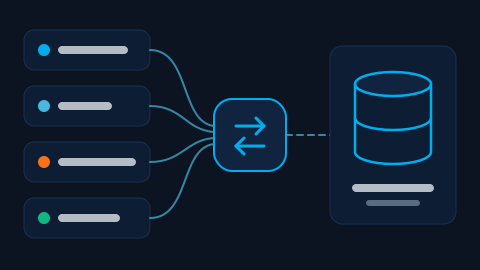
How data comes in
Three ways to collect, one place to land
Webhooks
Events arrive as they happen and are written to the right table.
Scheduled pulls
Records are read from the source system's API on the schedule you need.
Updates and late changes
Changed records are updated in place, and a nightly pass catches late changes.
The flow
From the source to a table you can trust
-
Step
Sources
- Broker CRMs and back offices
- Tracking and lead platforms
- Affiliate platforms
- Prop firm platforms
- BI tools
- Most JSON REST APIs and webhooks
-
Step
Schedule
- As events arrive
- Every 1, 5 or 15 minutes
- Hourly or daily
-
Step
Destination
- Google BigQuery
- MySQL, one per customer, run by CreoLabs
-
Step
Control
- Health per system
- Run history
- Event log
Creo Middleware is the data integration layer of the CreoLabs ecosystem.
It brings the data in, so the analytics products start from complete data. See the ecosystem
Questions about Creo Middleware
Getting your data in.
Which systems can Creo Middleware connect?
Broker CRMs and back offices, tracking and lead platforms, affiliate platforms, prop firm platforms and BI tools, and most systems that offer a JSON REST API or send webhooks, each one set up by CreoLabs.
Where does the data go?
Into a database of your own (MySQL, run by CreoLabs) or your Google BigQuery. From there the analytics products, such as Creo Sense, start from complete data.
How often is data collected?
Events sent by webhook are written as they arrive. Scheduled pulls run from every few minutes to once a day, depending on what the source allows and on what the data is used for.
What if a record changes after it is collected?
Changed records are updated in place, a nightly pass re-reads recent history to catch late changes, and records deleted at the source can be removed.
How do we know a feed is working?
Creo Middleware keeps a health status for each connected system, a run history and an event log, so a gap in a feed shows up.
See it on your own data
Ask for a walkthrough. We show the product on demo data and discuss what your team needs.